
Hydrawise
Hunter IndustriesHouse & Home
4.6673.00 Reviews
- Version
- 0.1.1162
- Installs
- 100.00K
- Age Rating
- Teen
Screenshots
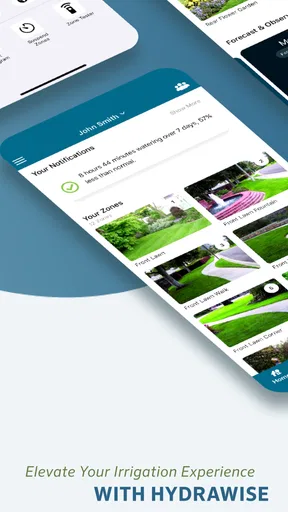
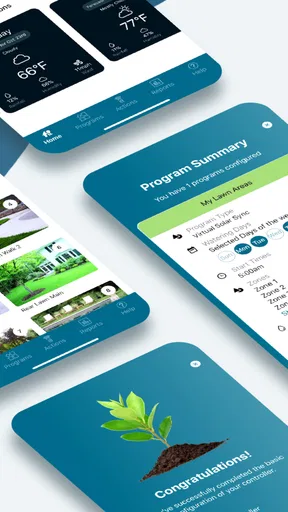
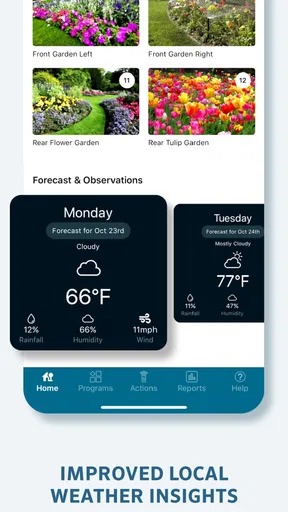
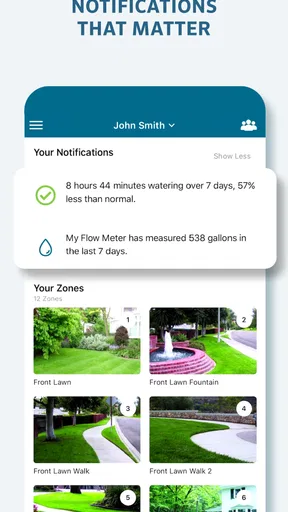
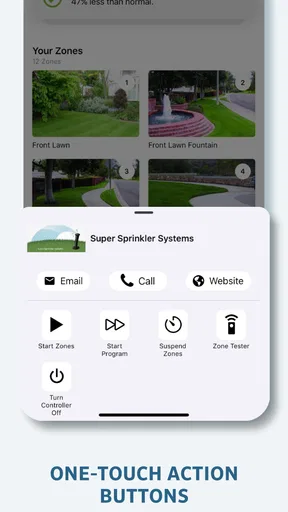
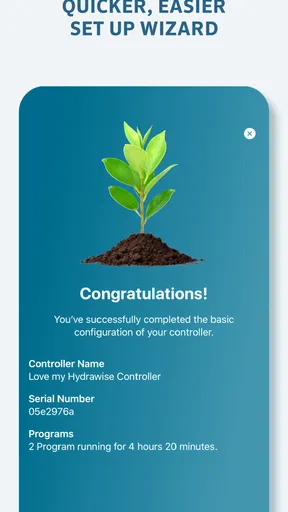
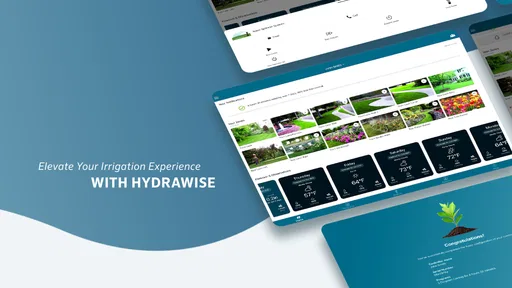
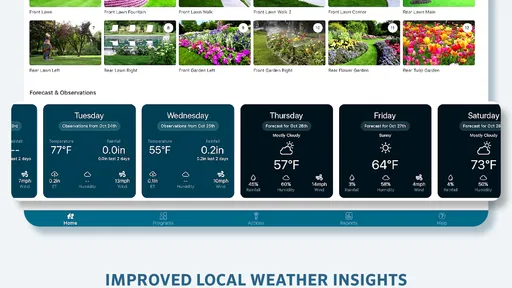
Our Review of Hydrawise
 Analysis by Appyee
I first looked at Hydrawise as a household tool rather than just another controller app. That distinction matters because irrigation is rarely managed by one person in isolation. One resident may handle the garden, another may notice a dry planter, and someone else may need to understand why the sprinklers did not run. In my experience, the app makes the most sense when it is treated as the digital control point for a Hunter Industries irrigation system, not as a general-purpose gardening planner.
The app sits in the House & Home category and is free to install. Its store summary calls it the ultimate in irrigation control, but I found its real value more practical: it gives you a way to check and adjust watering without walking to the controller every time. That is especially useful when the irrigation equipment is outside, tucked into a garage, or installed somewhere inconvenient. The experience is focused, and that focus is both its greatest strength and its main limitation.
How Hydrawise fits into a shared household
A realistic example is a home where one person usually manages the lawn while another looks after pots, borders, or a small vegetable area. If the person who normally handles watering is away, the app can make the routine easier to hand over. The substitute user does not need to stand beside the physical controller to understand what needs attention; they can use the same digital system from their own device if the household has arranged access appropriately.
That last part is important. Hydrawise is not a casual remote switch that should be passed around without thought. Irrigation changes can affect several areas at once, and a mistaken adjustment may leave plants dry or create unnecessary watering. I would agree on a simple household rule before sharing access: one person makes schedule changes, while others report problems or check the current state. This avoids the familiar situation where two people edit the same routine and neither knows which setting is active.
For a single homeowner, the benefit is straightforward. You can check the system during a busy day instead of making a separate trip outside. For a couple or house-share, the value depends more on coordination than on the number of phones involved. The app is useful when it gives everyone a common reference point, but it can become confusing if several people treat it as an independent controller.
I also like the idea of using it during ordinary household transitions. Before leaving for a weekend, I would use the app to review the watering arrangement and make sure the person staying at home understands what to watch. After returning, I would check the setup rather than assume that a temporary change was undone. That habit is more reliable than relying on memory, especially when weather or visitors have interrupted the normal routine.
The first setup is where patience pays off
The initial experience is not the same as installing a simple timer. Hydrawise belongs to a connected irrigation system, so the useful part begins only after the app is associated with the relevant controller and watering areas. I would approach setup with a notebook or a quick phone note listing each zone in plain language: front lawn, side border, patio pots, and so on. Clear names are much more helpful later than technical labels or numbers.
This is one of the most important non-obvious tips for a shared home. A person who installed the system may know that a particular zone corresponds to the narrow bed beside the driveway, but another household member will not. Naming zones for visible places reduces mistakes when someone is checking the app quickly. It also makes a handover possible without a long explanation beside the controller.
I would not rush through the first configuration just to reach the main screen. Irrigation systems often serve areas with very different needs. A sunny lawn, a shaded border, and containers near a wall should not be treated as though they respond to water in the same way. The app can be a convenient control layer, but it cannot replace the homeowner’s judgement about the garden itself. If the physical system is incorrectly wired, poorly aimed, or connected to the wrong zone, changing settings in the app will not solve the underlying problem.
Another practical boundary is that the app does not make every household member an irrigation expert. A teenager might be perfectly capable of checking whether watering occurred, while a younger child should not be given responsibility for changing routines. That is not a criticism of the app; it is a sensible division between observing a household system and controlling it. I would keep the person responsible for schedules clearly identified, particularly in a busy home.
Account boundaries matter more than extra convenience
When several people use a connected home service, the question is not simply whether the app can be installed on multiple phones. The real question is who should be able to change the system and how the household will recognize the correct account. I would avoid creating a collection of improvised logins or sharing credentials casually. Use the account arrangement supported by the service and keep the primary details with the person who owns or maintains the irrigation installation.
This approach prevents a common source of friction: someone replaces a phone, signs in differently, and then assumes the controller has disappeared. Before giving another user responsibility, I would make sure they know which account or access route the household uses, what the zones are called, and whom to contact before changing a schedule. That small amount of preparation is more valuable than simply telling them that the app is installed.
Hydrawise is best when the app reflects a clear physical arrangement. If the household has several properties or multiple irrigation systems, naming and account discipline become even more important. I would not assume that a person who can see one setup should automatically manage every setup. Keep each property mentally separate, and check the selected location before making a change. A remote control interface reduces distance, but it also removes the visual reminder that you are working on a different garden.
For a renter, the decision is more complicated. If the irrigation controller belongs to the landlord or property manager, I would ask who is responsible for configuration before installing the app or changing anything. The convenience of remote control is not worth creating a dispute about watering, equipment, or account ownership. In a homeowner-managed system, the app feels much more natural because the same person can connect the digital settings with the physical garden.
Coordination is the real everyday advantage
The strongest household use is not dramatic remote control; it is reducing uncertainty. If one person says the lawn looked dry and another says the system ran, the app gives the household a place to check the irrigation routine instead of arguing from memory. That does not prove that every sprinkler head worked correctly, but it helps separate a scheduling question from a maintenance question.
I would use a simple three-step routine when someone reports a problem. First, check the relevant zone and its recent operation in the app. Second, inspect the area physically for blocked heads, leaks, or poor coverage. Third, change the schedule only if the evidence points to a timing or duration issue. This prevents the common mistake of adding more watering when the real problem is a damaged sprinkler or a closed valve.
That workflow is particularly useful in homes where the person using the app is not the person doing garden maintenance. The app can answer, “Was this zone meant to run?” The walk around the garden answers, “Did the water actually reach the plants?” Keeping those questions separate is a surprisingly effective way to avoid overcorrecting.
I also recommend agreeing on what counts as a temporary change. A household member may adjust watering for a heatwave, newly planted shrubs, or a guest who is looking after the property. The problem comes later, when nobody remembers the change. A quick message in the household chat or a note beside the controller can prevent confusion. Hydrawise provides the control interface, but the household still needs a communication habit around it.
For shared devices, I would be cautious about leaving the app permanently open on a tablet in a common room. That may be convenient for checking status, but it also makes accidental changes more likely. A shared tablet is fine as an observation screen if people know not to edit settings casually. For actual configuration, I prefer a personal device used by the designated household manager.
Age, trust, and sensible responsibility
The content rating is Teen, which is a useful reminder that this is not an app I would hand to a small child as an unsupervised household toy. The rating does not tell me that the app is difficult; it tells me to think about responsibility and access. Irrigation control affects a real property system, so age should be considered alongside maturity, reliability, and whether the person understands the consequences of changing a schedule.
A teenager who helps with gardening may be a good secondary user for checking whether a zone operated or reporting a visible issue. I would still reserve schedule ownership for an adult or for the household member who understands the garden’s watering needs. Trust should be based on the task, not simply on whether the person can operate a phone.
This is also where account boundaries become part of household safety. Do not treat the app as a place to test random settings. If someone is learning, let them observe first and explain what each area of the garden needs. Then make a small, deliberate change together if appropriate. That method builds useful knowledge without turning the irrigation system into a trial-and-error project.
For older relatives or less technical users, the app may be easier than a controller filled with buttons, but only if the household has prepared the labels and access. A remote interface is not automatically simple. Clear zone names, a written contact person, and an agreed rule about changes can make the difference between confidence and hesitation.
What the app does well compared with ordinary timers
The usual alternative is a physical irrigation timer that someone must reach directly. That approach can be perfectly adequate for a small, predictable garden, and it has one advantage: everyone can see the device and its controls. Hydrawise is more convenient when the controller is out of the way or when the person responsible for the garden is not always at home.
Compared with a basic timer, the app also encourages more deliberate management. You can think in terms of named watering areas rather than a single on-and-off routine. That makes it better suited to a property where the lawn, beds, and containers have different priorities. The trade-off is that there are more opportunities for confusion if the zones are poorly labeled or if multiple people adjust them without coordination.
Compared with simply walking outside, the app saves effort but loses some physical context. A visit to the garden lets you notice a blocked nozzle, pooling water, a wilted plant, or a broken line. I would never use the app as a substitute for occasional inspection. Its best role is to reduce unnecessary trips and help you decide which physical checks are worth making.
Compared with a generic smart-home dashboard, Hydrawise is more focused on irrigation. That specialization is welcome if your main need is managing a compatible Hunter Industries setup. If you want one app to control lighting, security, heating, and watering together, a broader platform may feel more convenient, although it may not offer the same irrigation-focused workflow. I would choose Hydrawise for depth in its specific job rather than for all-purpose smart-home coverage.
Where the experience can become frustrating
The app’s usefulness depends heavily on the connected irrigation hardware and the quality of the original installation. If the system is unreliable, the app cannot turn it into a dependable one. A household may see a neat digital schedule while still dealing with low water pressure, clogged heads, damaged wiring, or a valve that does not open correctly.
There is also a learning curve for people who think of watering as one simple daily action. The more zones and exceptions a garden has, the more important it becomes to understand what each setting means before changing it. I would not recommend the app to someone who wants a completely hands-off timer and has no interest in learning the layout of the irrigation system.
Remote access can create false confidence as well. Seeing a scheduled operation is not the same as confirming good coverage across the garden. If a plant is struggling, do not immediately increase watering from the phone. Check the soil, inspect the sprinkler, and consider whether the plant is in the right zone. The app makes changes easy; that is convenient, but convenience should not replace diagnosis.
Shared use adds another layer of friction. If one person values a dry, efficient lawn and another prefers frequent watering, the disagreement is not technical. The app may make the conflict more visible, but it cannot settle the household’s priorities. Agreeing on the garden’s needs before assigning control is often more important than learning every screen.
Performance, access, and practical expectations
Hydrawise has an average rating of 4.6 from around twelve thousand ratings, which suggests that many users find the overall experience worthwhile. I read that as encouraging rather than conclusive. Irrigation apps are judged not only by their interface but also by the controller, network connection, garden layout, and expectations of the person using them.
The app has passed one hundred thousand installs, so it is not an obscure experiment with no visible user base. It is available at no cost, which lowers the barrier to trying it when you already have the relevant Hunter Industries equipment. The important distinction is that free installation does not mean a compatible irrigation setup is free. The app is an access tool, not a replacement for the physical controller and plumbing.
It is marked for Teen users and supports devices running Android 8.0 or later. That makes it practical for many older phones, but I would still keep the app updated and avoid relying on an aging device that is already unreliable. The current version is 0.1.1162, and version details can change over time, so I focus more on whether the phone remains supported and whether the household can access its account when needed.
The app was released on October 30, 2023, and it comes from Hunter Industries, a company closely associated with irrigation equipment. That background matters because the app’s purpose is specialized. I would choose it when the household already has, or is planning around, the relevant connected irrigation ecosystem. I would not download it expecting a standalone plant-care assistant.
Who should use it and who should skip it
I think Hydrawise is a good fit for homeowners who want to manage irrigation without repeatedly visiting an outdoor controller. It is especially useful for gardens with several watering areas, households where responsibilities are shared, and people who travel or have irregular routines. The app becomes more valuable as the physical controller becomes less convenient to reach.
It is also a sensible choice for a household that is willing to establish a little structure. Name the zones clearly, decide who owns schedule changes, and use physical inspection when something looks wrong. Those habits turn remote control into practical maintenance rather than a button-pressing shortcut.
I would skip it if you only need a basic timer for a tiny garden and prefer controls that are visible on the wall. I would also hesitate if you are renting and do not control the irrigation account, or if nobody in the household wants responsibility for understanding the zones. In those cases, a simpler arrangement may create fewer problems.
Likewise, do not choose it solely because remote control sounds modern. If the garden has inconsistent pressure, poor coverage, or neglected maintenance, the priority should be fixing the physical system. Hydrawise can help you manage a sound setup, but it cannot compensate for fundamental installation issues.
My household verdict
After looking at the app through the lens of shared home use, I see it as a focused tool with a clear purpose. Its best contribution is not flashy automation; it is giving the people responsible for a Hunter Industries irrigation system a convenient common point for checking and adjusting watering. That can make everyday coordination easier, particularly when the controller is outside or the usual gardener is away.
The household should treat access as a responsibility rather than a free-for-all. Keep the primary account with the person who manages the system, use understandable zone names, and separate app checks from physical garden inspections. For teenagers or occasional helpers, observation and reporting may be appropriate even when schedule changes remain with an adult.
My recommendation is positive for the right audience: homeowners with a compatible setup who want more convenient irrigation management and are prepared to learn how their zones work. I would not recommend it as a universal smart-home app or as a substitute for looking at the garden. The best result comes from combining Hydrawise’s remote convenience with clear household rules and regular hands-on checks.
For that audience, the free app is worth trying. It makes a specialized job easier without pretending that software can replace good installation, sensible watering decisions, or communication between the people who share a home.
Verdict
Strengths of Hydrawise
- Remote access lets you monitor irrigation from anywhere.
- Weather-based adjustments can help reduce unnecessary watering.
- Supports multiple zones with separate schedules and settings.
- Rain sensor integration can prevent watering during wet conditions.
- Useful flow monitoring may help detect leaks or broken sprinkler lines.
Limitations of Hydrawise
- Advanced features may require a compatible Hydrawise controller.
- Initial setup can be confusing for users unfamiliar with irrigation systems.
- Internet access is needed for most remote monitoring and control features.
- Weather adjustments depend on accurate location and forecast data.
- Subscription or controller costs may apply to some features or installations.
Similar Picks in This Category
View All
Universal TV Remote Control
CodeMatics Media Solutions3.9

AlfredCamera Home Security app
Alfred Systems Inc.4.7

Planner 5D: AI Home Design
Planner 5D4.5

Universal Tv Remote-Cast to TV
One Music Player4.1

Zillow: Homes for Sale & Rent
Zillow Group4.8

99acres Buy/Rent/Sell Property
infoedge.com4.3
Frequently Asked Questions
What is Hydrawise and what can I use it for?
Hydrawise is a smart irrigation management platform designed to help homeowners, gardeners, and landscaping professionals control compatible irrigation controllers remotely. Through the app, you can create watering schedules, monitor controller activity, review weather information, and adjust zones from a phone or tablet. It is especially useful for reducing unnecessary watering and managing irrigation when you are away from home.
Does Hydrawise work with any irrigation controller or sprinkler system?
Hydrawise does not control every sprinkler system automatically. It is primarily intended for compatible Hunter Hydrawise-enabled controllers and related irrigation equipment. Before downloading or purchasing hardware, check the controller model, required accessories, Wi-Fi specifications, and regional compatibility. If your existing system is not supported, the app alone generally cannot operate standard valves without a compatible Hydrawise controller installed.
Can Hydrawise adjust watering automatically according to the weather?
Yes, Hydrawise can use local weather information and forecast-based adjustments to help modify irrigation schedules. Depending on the configuration, the system may reduce or delay watering when rain is expected or conditions indicate that less water is needed. Accuracy depends on the selected weather station, location settings, sensor setup, and internet connection, so users should still review schedules and confirm that plants receive adequate water.
Can I control my irrigation system remotely with Hydrawise?
Remote control is one of Hydrawise’s main advantages. Once a compatible controller is connected to the internet and linked to your account, you can view schedules, start or stop zones, make temporary adjustments, and check system status from the app. Remote access depends on a working Wi-Fi connection, controller connectivity, and an active Hydrawise account, so local manual controls may still be necessary during outages.
Is Hydrawise free to use, and are there any additional costs?
The Hydrawise app can generally be downloaded without an upfront app charge, but using the complete irrigation system requires compatible hardware, such as a Hydrawise-enabled controller and properly installed valves or sensors. Some advanced services, features, or professional management options may depend on the account type or subscription terms. Check the current pricing, supported features, and hardware requirements in your region before committing to an installation.
